HOW IT WORKS

Your body
drives the music

No manual playlists. No average BPM. FLUX reacts to your effort in real time — here's how, in four steps.

Step 1

Connect

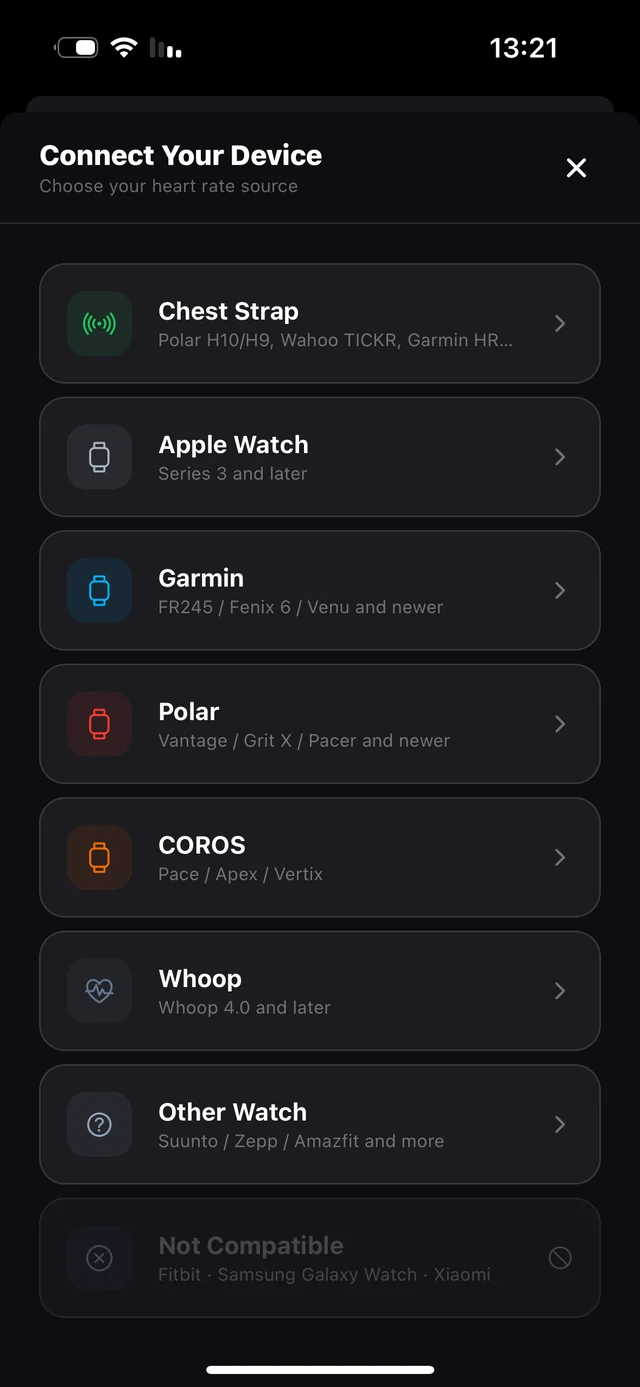
Link Apple Music and go. Got an Apple Watch, a Garmin, a Polar or a chest strap? FLUX walks you through it device by device and runs on your live heart rate. No sensor at all? Your phone counts your cadence instead — same sync, zero gear.

  • 8 devices supported, each with its own guide
  • Apple Watch needs no pairing — just Health access
  • Or skip hardware entirely and run on cadence
FLUX Connect Your Device screen listing Chest Strap, Apple Watch, Garmin, Polar, COROS and Whoop
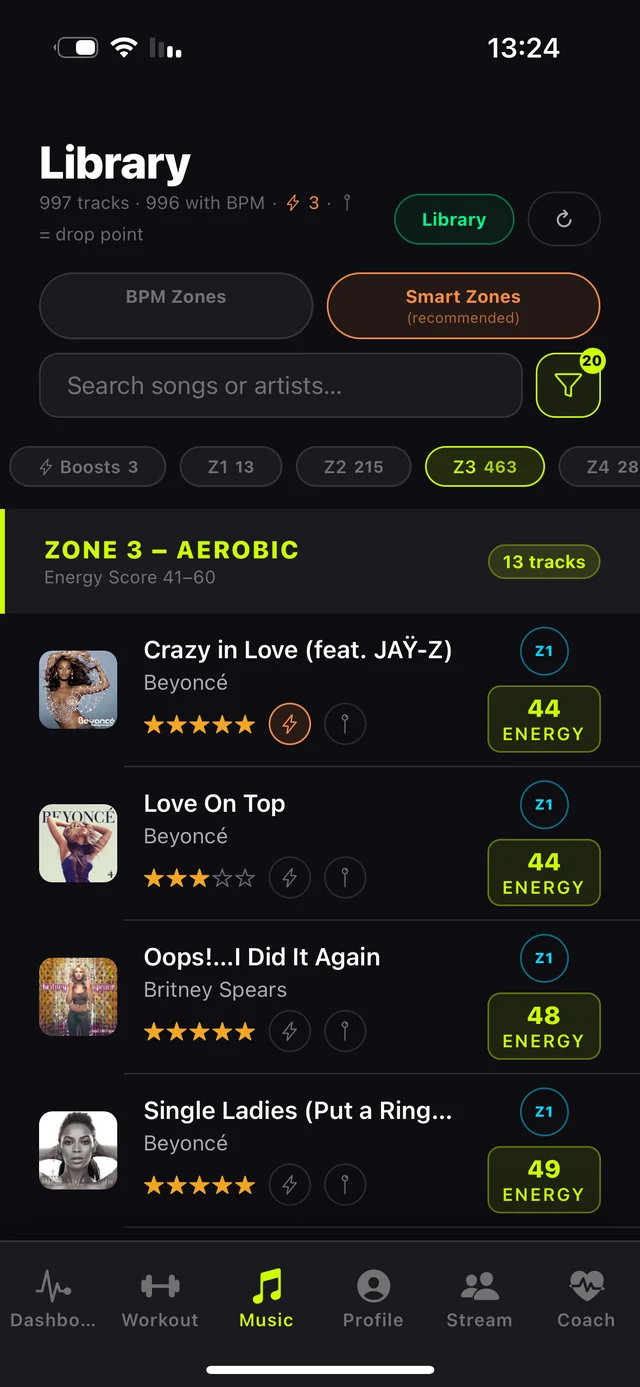
FLUX Library showing tracks sorted into zones with BPM, Energy Score and star ratings
Step 2

FLUX tags your library

Every track in your library gets a BPM and an Energy Score, then gets sorted into training zones. That's the foundation the whole engine runs on. It happens once, in the background — after that it's instant.

  • Your own music, not someone else's playlist
  • Smart Zones by energy, or raw BPM zones
  • Star a track and FLUX plays it more often
Step 3

Run — and let your body decide

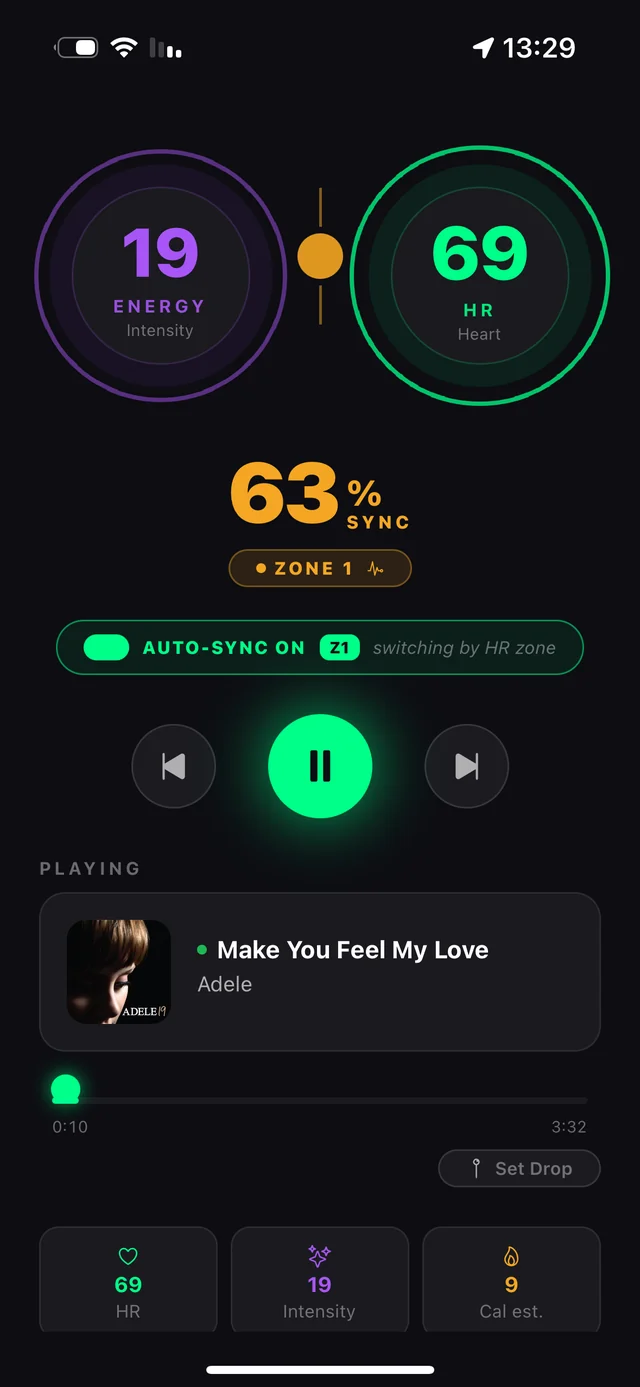
Your live heart rate sets the zone. FLUX picks the matching track from your library and crossfades into it — automatically, mid-run, without you touching the phone. Or build a structured workout and let the music follow the plan instead.

  • Auto-sync switches tracks as your zone changes
  • Personal zones via the Karvonen formula
  • Live Sync Score tells you how locked-in you are
FLUX live run screen showing heart rate, energy, Sync Score and the currently playing track
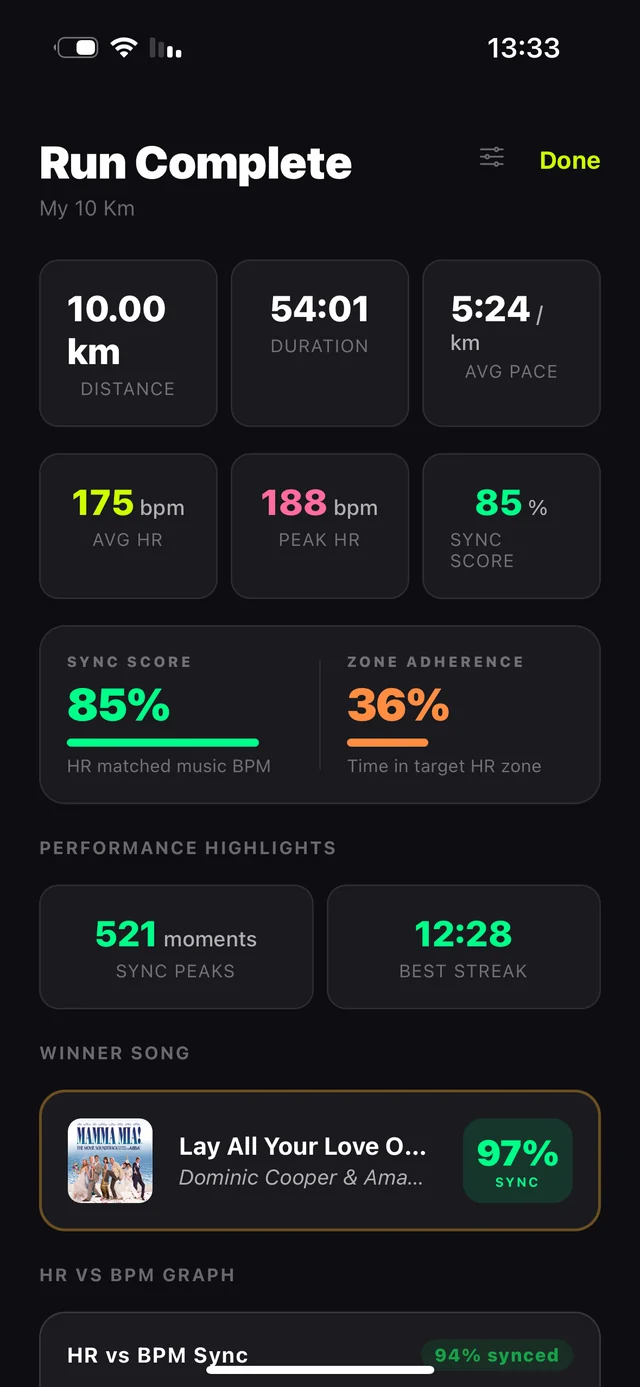
FLUX run summary with distance, pace, average heart rate, 85% Sync Score and the winning track
Step 4

Chase your Sync Score

After every run: how synced your body was with the music, your winning track, zone breakdown, splits and route. One number that turns an abstract idea into something you want to beat.

  • Sync Score, peak moments and best streak
  • The track that matched you best
  • Share the card — then go beat it
Want the details?

Step-by-step guides

Connecting a watch, pinning music to zones, building a workout, setting a drop point — every task, with the actual screens.

Browse the guides →

Ready to run synced?

Download on the App Store Try the demo first →